
A new filter is now available for use on our website sintoms.com, allowing users to select frets by their characteristics in order to view and include selected frets in an Order and send the completed Order to the SINTOMS company (to the email address: info@sintoms.com). In this way, through the sintoms.com website, direct contact is established between the Client/Buyer placing their Order and the SINTOMS company, which manufactures that Order.
The main parameters for selecting frets are:
- Fret line (series).
- Fret material.
- Fret crown type.
- Fret width.
- Fret crown height.
- Fret tang width.
- Professional features of the frets.

Now the Client no longer needs to browse through the catalog and compare fret characteristics manually. Using the filters, only those frets will be selected and displayed whose characteristics match the specific values specified by the Client for these characteristics.
Selected frets can be immediately sent to the Cart (Favorites), where the Order will be formed.
To search for specific fret models and form an Order, you must first select a fret line (series). Then, for the selected fret series, you must specify (select from the list) the characteristics by which the frets will be selected and click the “Show” button. After that, a list of selected frets will appear.
The filter allows combining several parameters simultaneously, updating the list of frets matching the search conditions.
It is now possible to reset all specified search conditions with one button and start the selection again, and by clicking the “cross” (☒), you can reset the value of one of the parameters.
For each fret selected as a result of the search, you can decide to add that fret to the Cart (Favorites). This selection can be repeated for other fret lines (series).
By clicking the “Cart” button in the upper right corner of the page or the “Go to Cart” button under the fret description, you will go to the Cart (Favorites), where you can place your Order for frets.
To place an Order, you must:
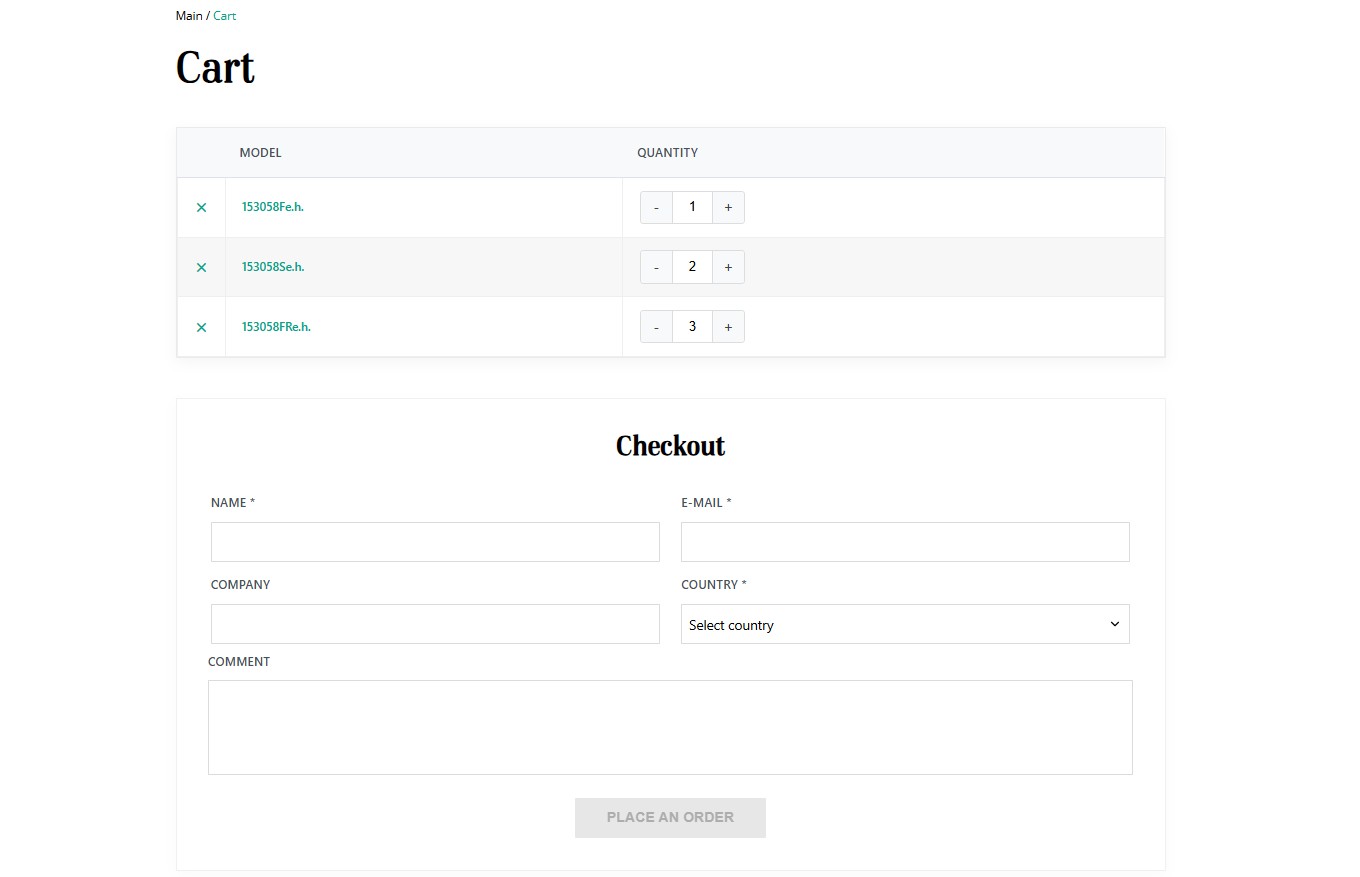
1) Specify the quantity of the selected fret models and/or remove unwanted fret models.
2) Fill in the fields in the “Order Checkout” section (provide contact information and a comment for the Order).
3) Click the “Place Order” button. After clicking this button, the Order will be sent to the SINTOMS company at the email address info@sintoms.com, and the Cart will be reset for new Orders.
After receiving an Order from the sintoms.com website, SINTOMS managers will contact the Customer at the email address specified by the Customer and help resolve possible issues and organize the manufacturing of the Order and the delivery of it.
Any additional questions can be clarified with the SINTOMS company using the contact information on the company’s website sintoms.com.
 Russian
 English